ClickUp 4.0: What Actually Changed and What It Means for Your Workspace
ClickUp 3.0 was deprecated on March 27 2026. Every workspace is now on 4.0. A UK ClickUp Verified Consultant explains what actually changed, what stayed the same, and whether this is the moment to restructure your workspace.
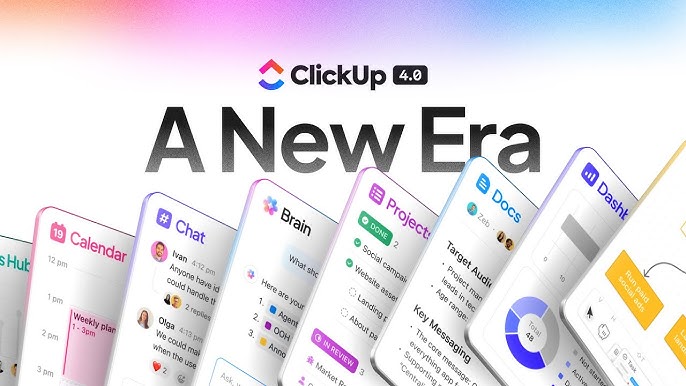
ClickUp 3.0 is gone. Every workspace is now on 4.0.
On March 27 2026, ClickUp deprecated version 3.0. Every workspace was automatically migrated to ClickUp 4.0 whether it was ready or not. For most teams, that transition happened quietly and most things kept working. For some teams, it was a confusing morning of "where has everything gone" and "why does my automation look different."
If you are still getting your head around what actually changed — and more importantly what it means for how you work — this is the practical guide.
As a ClickUp Verified Consultant working with businesses across the UK, I have been helping teams navigate the 4.0 transition since it landed. Here is what you actually need to know.
What is ClickUp 4.0?
ClickUp 4.0 is not a new product. It is the same ClickUp with a significantly redesigned interface and a new set of AI-powered features built around that interface. The core functionality — tasks, Spaces, Lists, Custom Fields, automations, views — all remains. What changed is how you navigate to and between those things.
The headline change is the Global Navigation bar. In 4.0, the left sidebar is now a persistent vertical bar that stays visible from anywhere in ClickUp. It contains access to your Spaces, Chat, Docs, Inbox, AI tools, and Dashboards. Everything is accessible from one place without having to navigate to a different section of the app first.
ClickUp's framing for 4.0 is a converged workspace — tasks, Chat, AI, and collaboration tools all in one place rather than in separate products that happen to share a login. Whether your team experiences that as an improvement depends heavily on how disciplined you were about using those separate features in 3.0.
The specific things that changed
Global Navigation replaces the old sidebar
The most disorienting change for most teams. The left sidebar in 4.0 now has two layers: the Global Navigation icons at the top (Chat, Docs, Inbox, AI, Search, Dashboards) and your Spaces and Lists below. In 3.0, the sidebar was primarily your Spaces. In 4.0, it is your entire ClickUp.
The practical impact: the first time someone opens 4.0 and cannot find their Spaces, they assume something has gone wrong. Nothing has gone wrong. The Spaces are still there, lower in the sidebar. Every team needs five minutes of orientation to get over this.
My Tasks is significantly improved
The personal task view in 4.0 is genuinely better. You can see everything assigned to you across all Spaces in one view, filter by due date, priority, and status, and switch between List and Calendar views. This replaces a workflow that many people were doing manually — visiting each Space or List to find their own tasks. For individuals on teams with complex workspace structures, this is the biggest quality-of-life improvement in 4.0.
Chat is now a first-class workspace feature
ClickUp Chat in 4.0 is no longer an add-on. It is built into Global Navigation and positioned as a direct replacement for Slack for teams that want to consolidate. Channels, direct messages, task-linked conversations — all inside ClickUp.
Whether this is useful depends on whether your team is willing to move their communication into ClickUp. Most teams I work with are not ready to leave Slack, and that is fine. Chat being available does not mean you have to use it. But if you have been paying for both ClickUp and Slack and wondering whether there is consolidation potential, 4.0 makes that more realistic than it was before.
Super Agents are now available
The AI layer in 4.0 includes Super Agents — autonomous AI team members you can @mention, assign tasks to, and configure to do proactive work in your workspace. This is the biggest genuinely new feature in 4.0 rather than a navigation change. Super Agents require the AI ClickApp add-on and are not available on the free plan.
Google Drive Automations
One of the April 2026 additions to 4.0: you can now automate workflows between ClickUp and Google Drive natively. Create a folder in Drive when a project is created in ClickUp. Alert your team in ClickUp when new files land in a specific Drive folder. For teams whose delivery work lives in Google Drive but whose project management lives in ClickUp, this closes a gap that previously required Zapier.
What did not change
Your data. All tasks, projects, comments, Custom Fields, automations, and views migrated automatically. Nothing was deleted or restructured during the 4.0 migration. If something looks like it has disappeared, it is almost certainly a navigation issue rather than a data loss issue.
Your automations. With one caveat: some automations that depended on the old navigation triggers or the 3.0 Chat integration may have needed reconfiguring. If you have automations that have not fired since late March, check them.
The honest 4.0 assessment
ClickUp 4.0 is a better product than 3.0. The Global Navigation is more coherent once you know where things are. My Tasks is genuinely improved. Super Agents are the most significant new capability the platform has ever shipped.
The transition friction is real. Teams that had zero time to prepare for the switch had a disorienting couple of days. Automations built with 3.0-era patterns occasionally need tweaking. The new interface takes a week to feel comfortable.
None of this is a reason not to be on 4.0 — you are on it regardless. But if your team is still complaining that ClickUp feels different and harder to use, that is probably a navigation familiarity problem rather than a product problem. A single team orientation session usually resolves it.
Is now a good time to restructure your workspace?
Yes. The 4.0 migration is the best excuse to do the workspace audit you have been deferring. Your team is already experiencing change. The cost of another couple of days of adjustment — this time to a better-structured workspace — is lower right now than it will be in six months when everyone has settled into 4.0 habits built on a flawed foundation.
If your workspace has been inconsistent statuses, too many Spaces, undocumented automations, or Custom Fields nobody fills in — now is the time.
Frequently asked questions
What changed when ClickUp 4.0 replaced ClickUp 3.0?
ClickUp 4.0 introduced a converged workspace with a new Global Navigation bar connecting tasks, Docs, Chat, and AI tools in one place. ClickUp 3.0 was deprecated on March 27 2026. The core functionality is the same but the navigation and layout are significantly different.
Do I need to rebuild my ClickUp workspace for 4.0?
No. Your workspace data, tasks, automations, and Custom Fields migrated automatically. What changed is the interface and navigation, not the underlying structure. However, the transition is a good moment to address any structural issues that have been building.
Can a ClickUp consultant help with the 4.0 transition?
Yes. Many businesses are using the 4.0 transition as an opportunity to audit and restructure their workspace properly. A ClickUp Verified Consultant can assess what needs updating, check automations that broke in the migration, and set up new AI features on a solid foundation.
Almost done! When you're ready, here are four ways I can help you:
- Read it. A guide on how to use ClickUp and actually make it work for you.
- Connect it. Let's be LinkedIn pals. I make funny videos sometimes.
- Workshop it. Book a 30-minute chat to talk processes and build a Miro together.
- Go for it. Fill in my contact form — let's talk ClickUp or Automations. Whatever tickles your pickle.
Wanna hear from the unfiltered version of me? Sign up to my newsletter. The Working Notes. 2 minute reads. Behind the scenes. Hopefully helpful. Maybe funny.
Read more resources

SDK vs MCP Explained: What They Are, in Plain English
SDK vs MCP, explained without the jargon. A Zapier Silver Partner uses a simple plug-socket analogy so any business owner can follow it easily.

ClickUp Reporting for Owners: The 5 Numbers That Matter
Which numbers should a business owner actually track in ClickUp? A Verified Consultant on the five metrics that matter and how to read them.
.jpeg)
Zapier vs Microsoft Power Automate: Which Should a UK Small Business Use?
Zapier or Power Automate for a UK small business already on Microsoft 365? An honest comparison of cost, ease of use and app coverage.